
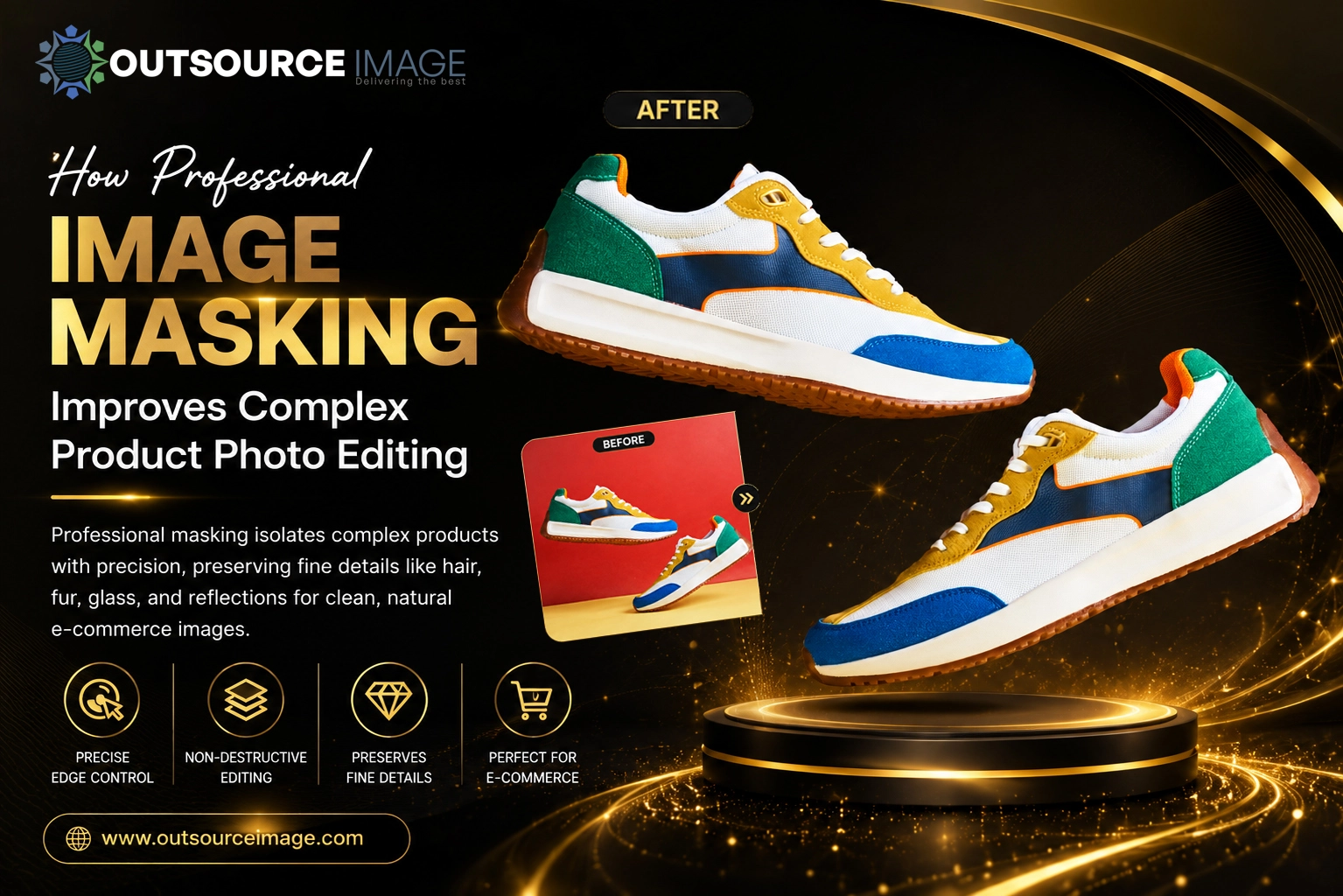
Professional image masking is a non-destructive technique that isolates complex products with precision. It preserves fine details such as hair, fur, glass, reflections, and intricate edges, delivering clean cutouts and natural-looking e-commerce images.
What Is Image Masking and Why It Matters for Product Photos
Image masking works by creating a “map” that tells editing software which parts of a layer to reveal or hide, without permanently erasing pixels. This non-destructive approach allows editors to refine edges, correct colors, and apply effects selectively while keeping the original image data intact for future adjustments.
For product photography, especially in e-commerce, masking is critical because it:
- Removes distracting backgrounds while preserving fine details such as wool fibers, pet fur, and model hair. For broader background removal needs, professional masking provides greater control.
- Maintains transparency in glass, plastic, water, and reflective surfaces, which can look artificial with simple cutouts.
- Enables consistent, brand-aligned visuals across catalogs by standardizing backgrounds, colors, and lighting. This works especially well alongside image enhancement services for polished product visuals.
- Supports advanced retouching, such as color correction, shadow creation, and lifestyle composites, without damaging the original image. Brands can also combine masking with professional photo retouching services for detailed image refinement.
Key Image Masking Techniques for Complex Products
Different products demand different masking methods. Professional editors choose techniques based on edge complexity, transparency, texture, reflections, and background contrast. Selecting the right method helps reduce rework and protect important product details.
Layer Masking
Layer masking uses a black-and-white mask to hide or reveal parts of a layer. It is ideal for general background removal, basic compositing, and selective adjustments where edges are relatively clean.
Adobe explains that layer masks can hide or reveal portions of a layer without permanently removing the underlying image data, making them useful for non-destructive editing. See the Adobe Photoshop layer mask guide for the official workflow.
Channel Masking (Alpha Channel Masking)
Channel masking uses the image’s color channels (red, green, or blue) to build a high-contrast selection, isolating the channel that provides the best separation between the subject and background. It is especially effective for translucent or reflective subjects, such as glassware, liquids, and jewelry, as well as products with intricate details or internal openings that standard clipping tools may not capture effectively.
For jewelry and other reflective products, masking can be paired with specialized jewelry photo retouching to create clean visuals for online catalogs. Our jewelry photo retouching guide for e-commerce products walks through the process in more detail, and our jewelry photo retouching tips for luxury product photography covers higher-end catalog work.
Refine Edge Masking
Refine Edge masking, performed using Photoshop’s Select and Mask workspace, is optimized for hair, fur, and other fine or soft textures. The Refine Edge Brush helps detect fine strands and separate them from contrasting backgrounds with greater accuracy.
For additional guidance, see Adobe’s official Select and Mask workspace resources, which cover current masking and selection tools.
Benefits of Professional Image Masking for E-commerce Brands
Professional image masking services combine advanced techniques with experienced editors to deliver results that automated tools may struggle to achieve consistently, as explored in our piece on AI vs. human editors and the future of image editing outsourcing. For businesses managing high-volume visual content, outsourcing image editing can also streamline production. Professional workflows are especially valuable when brands need the same editing standard across multiple products and marketplaces, and our overview of the top benefits of hiring a professional image editing service breaks this down further. Key benefits include:
Precision and Natural Edges with Image Masking
Professional masking preserves individual strands, translucent areas, and irregular shapes while minimizing jagged edges and unwanted halos. This precision helps products look authentic and trustworthy to online shoppers.
Consistency Across Catalogs Through Professional Masking
E-commerce brands often need hundreds or thousands of product images with uniform backgrounds, colors, and lighting. Professional masking helps ensure every image meets the same quality standard, reinforcing brand identity and creating a consistent customer experience.
This is particularly valuable for e-commerce photo editing and large catalogs that require consistent presentation across marketplaces and online stores, as outlined in our guide to how professional image editing increases e-commerce sales.
Time and Cost Efficiency of Professional Image Masking
AI-powered tools can speed up initial selections, but they may struggle with complex edges, transparency, reflections, and fine details. Outsourcing to professional editors can reduce turnaround time and minimize costly rework, especially for high-volume catalogs and important marketing assets.
Businesses comparing workflows can also review this outsourcing vs. in-house image editing cost guide before choosing a production model, or see our take on whether outsourcing editing services is a cost saver or a risk.
Creative Flexibility with Professional Masking
Masking enables advanced edits such as color correction, shadow creation, background replacement, and lifestyle composites. This flexibility is valuable for advertisements, social media content, e-commerce listings, and marketing campaigns that need visually appealing product images.
For broader creative requirements, creative image editing services can complement professional masking workflows.
Workflow: How Professional Masking Improves Editing Efficiency
A typical professional image masking workflow includes:
- Image Analysis — Editors examine the product to identify areas requiring advanced masking, such as soft edges, transparency, reflections, and fine details, versus areas suitable for simple clipping.
- Rough Selection — Tools such as Select Subject or Quick Selection are used to create an initial outline. Editors can then refine the result using a non-destructive Photoshop layer mask workflow.
- Refinement — Using Select and Mask, editors apply the Refine Edge Brush, channel adjustments, or alpha-channel techniques to refine complex details.
- Quality Check — Editors inspect the image at 100% zoom to identify artifacts, halos, rough edges, or missed strands.
- Final Output — Images are delivered with clean backgrounds, natural edges, consistent shadows, and formats suitable for e-commerce platforms. When needed, masking can be combined with photo clipping services for products that contain both hard and soft edges.
This structured approach helps ensure high-quality results while minimizing rework and maintaining consistency across large image volumes.
When to Choose Masking Over Clipping Path
Clipping paths work well for products with straight, smooth, or clearly defined edges, such as boxes, furniture, and simple apparel. Image masking is the better choice for:
- Wool clothing, furry plush toys, or pet products.
- Transparent items such as glass bottles, reflective jewelry, and products with water droplets.
- Complex shapes with holes, chains, loops, or intricate details.
- Images requiring natural hair or fur separation from backgrounds.
- Products with semi-transparent or soft edges that require detailed pixel-level refinement.
Choosing the right technique ensures optimal results without compromising image quality or natural appearance. For products with straightforward edges, a professional clipping path service may be more efficient, while complex products benefit from masking. Our guide on image editing vs. image retouching explains this distinction in more depth.
Conclusion: Why Professional Image Masking Matters
Professional image masking delivers precise isolation, natural edges, and flexible editing for complex products. For e-commerce brands, it creates cleaner visuals, consistent catalogs, and stronger customer confidence.
Whether you need background removal, transparent product editing, or hair and fur masking, professional image masking services can create polished visuals for e-commerce and marketing campaigns. Explore our product image editing services for complete product-image workflows, or see our photo retouching services: complete guide to professional editing for related techniques.
Frequently Asked Questions (FAQ)
1. What is image masking in product photo editing?
Image masking isolates a subject by hiding or revealing parts of a layer without permanently erasing pixels. It is ideal for hair, fur, transparency, and soft edges. See Adobe’s layer mask documentation for the technical details.
2. How is masking different from a clipping path?
Clipping paths are best for hard, defined edges, while masking handles soft edges, transparency, reflections, hair, fur, and complex textures.
3. Which products benefit most from image masking?
Products with fur, hair, glass, reflections, transparent elements, intricate shapes, or soft edges benefit most from professional masking.
4. Can AI tools replace professional masking services?
AI can handle simple selections quickly, but complex details, transparency, reflections, and consistency may still require professional editing and refinement.
5. How does masking improve e-commerce conversions?
Clean, consistent product images improve visual presentation, build shopper confidence, and create a more professional online shopping experience, a theme covered further in the role of image editing in e-commerce success.
For more e-commerce image guidance, see our article on why quality image retouching is a must for e-commerce stores, or browse the complete guide to background removal for online stores and image enhancement vs. image manipulation: what’s the difference for related topics.
Contact Us for Professional Image Masking Services
📞 Phone: +91 9345450713
🌐 Website: www.outsourceimage.com
📧 Email: sales@outsourceimage.com
Elevate your product visuals with expert image masking services tailored for e-commerce, advertising, and brand consistency.